The ChatGPT plugin for job search
Yes, there is now a ChatGPT plugin for job search, and it is Qarera. Add it once and you can find jobs, score your resume against any role, tailor it, and keep track of where you have applied, all from the chat. It runs on MCP, so the same tools work in Claude. Free, no card required.
New to this? See the setup steps, or use the web app.
Live now in the ChatGPT plugin directory, and listed as an official MCP server on PulseMCP.
What the Qarera plugin does in ChatGPT
Search jobs in the chat
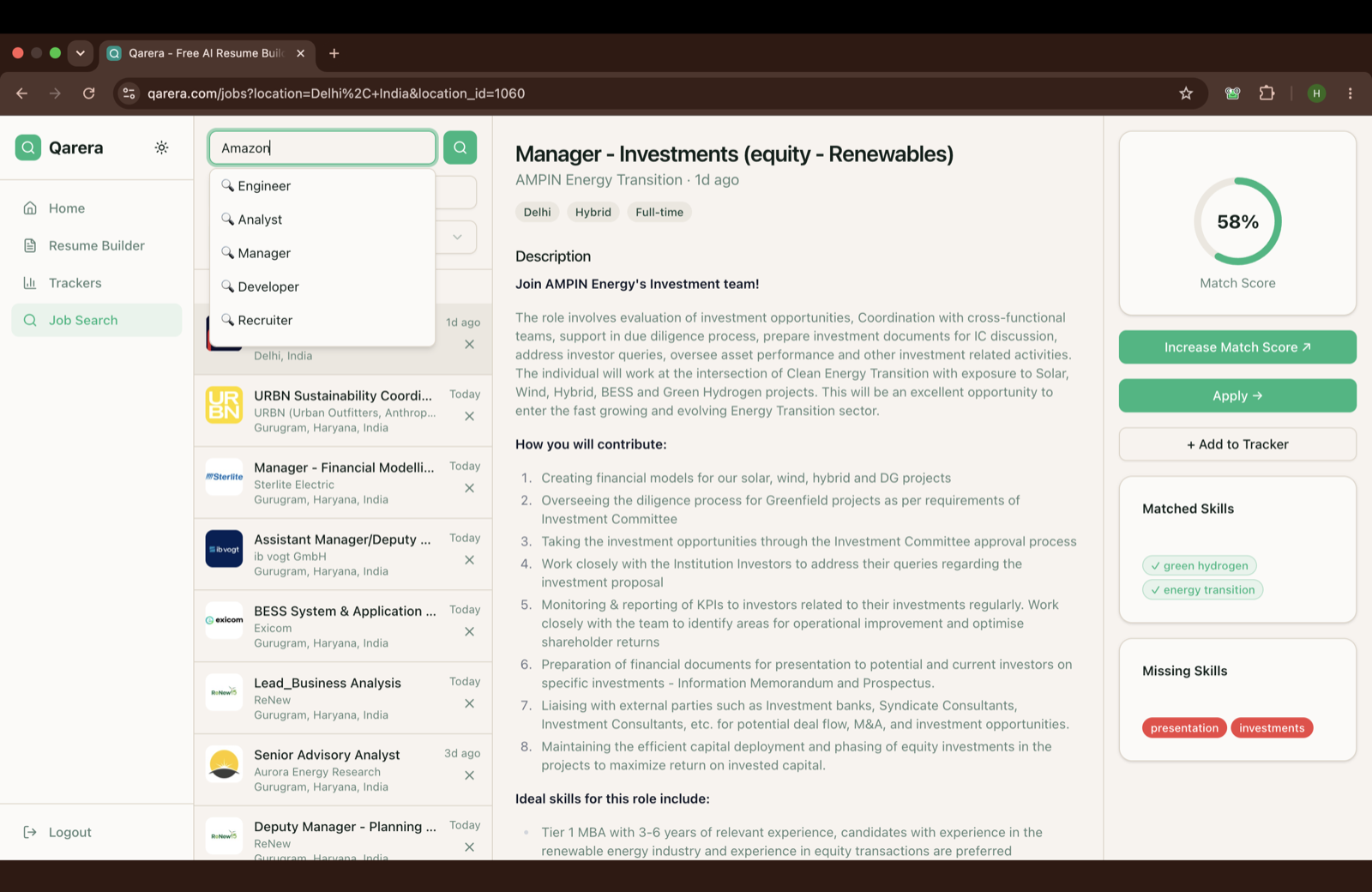
Ask ChatGPT to find jobs and Qarera answers with a real results card: role, company, location, pay, and a fit score. Tap one to save it.
Instant match score
Every job shows how closely it matches your resume, as a percentage. Green marks the skills you already have. Red marks the gaps you need to close.
Tailor your resume, see what changed
Ask Qarera to rewrite your resume for a role and it shows a clean before-and-after of the summary, bullets, and skills it touched. You approve the edits, not a black box.
Track every application
Save a job and it lands on your pipeline board: bookmarked, applied, interviewing, offer. Move cards between stages inside the chat, and the board stays put between conversations.
Works in ChatGPT and Claude
Qarera is a standard MCP server, not a locked-in app. Connect it once and the same search, scoring, and tracker turn up in ChatGPT, Claude, or any assistant that speaks MCP.
Free
No card, no trial, no gated features. Everything here works the same in the free Qarera web app.
How to add Qarera to ChatGPT
It takes about a minute. You will need ChatGPT Plus or above to run plugins.
Open the Qarera listing
Open Qarera in the ChatGPT plugin directory. It takes you straight to the connect screen inside ChatGPT.
Tap Connect
Hit Connect and sign in to Qarera once over OAuth. ChatGPT never sees your password, and you can disconnect anytime.
Put it to work
Try "find remote marketing jobs on Qarera", "what is my match score for this role?", or "tailor my resume for this job". You get back cards you can act on.
Prefer to add it by hand, or in a client that is not ChatGPT? Turn on developer mode (Settings, then Connectors, then Advanced), choose “Add custom connector”, and paste https://mcp.qarera.com/mcp. On the free plan or a region without plugins, everything here also runs in the free Qarera web app.
The whole job hunt, not just search
ChatGPT can already list openings. What it cannot do on its own is tell you how well your resume fits one, rewrite it for that job, and remember everywhere you have applied. Qarera adds those three.
Frequently asked questions
Learn more
Run your job search from ChatGPT
Find jobs, score your resume, tailor it, and track it, all in one place.
Free. Works in ChatGPT and Claude.
Add Qarera to ChatGPTNot on ChatGPT? Use the free web app instead